
Momo: AI Photo & Video Maker
ScaleUpPhotography
4.44.36K Reviews
- Version
- 3.0.8
- Installs
- 5.00M
- Age Rating
- Everyone
Screenshots
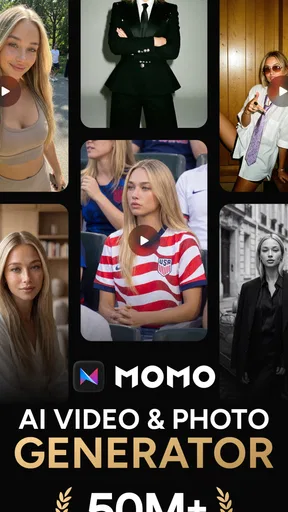
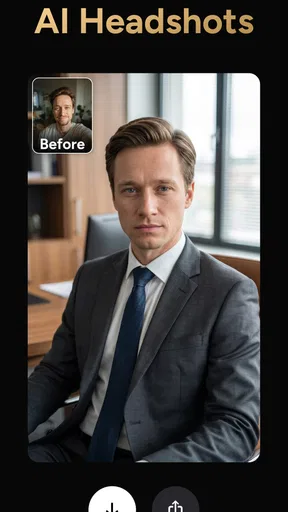
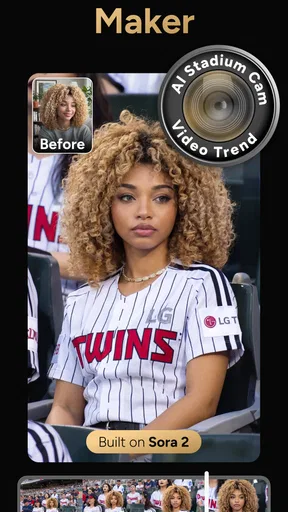
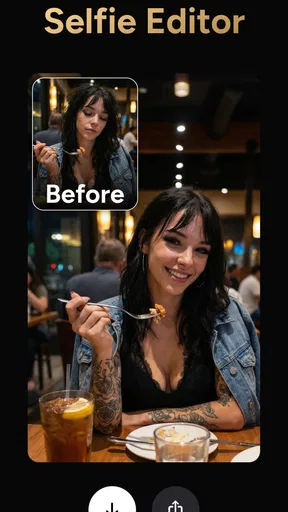
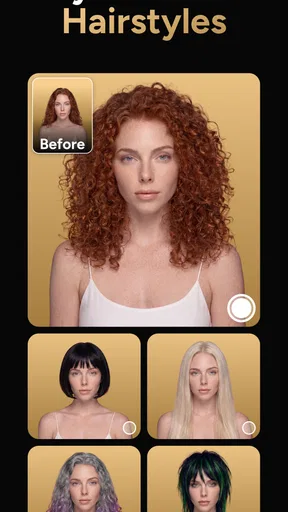
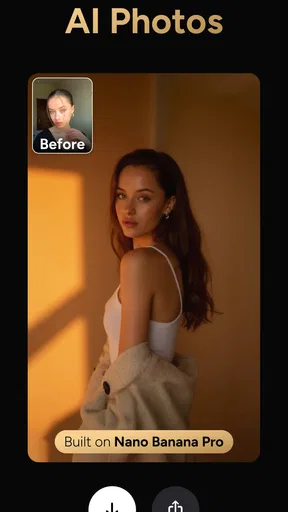
Our Review of Momo: AI Photo & Video Maker
 Analysis by Appyee
For a photo app that works with personal images, trust is part of the experience, not a footnote. I’d treat Momo - AI Photo Generator as a creative tool to explore carefully: decide what you want to make before choosing a photo, and avoid uploading anything you would not be comfortable using in an image-editing service. That is a sensible habit for any app that transforms portraits, especially when the result may be shared beyond your phone.
Start with a low-stakes photo
My practical advice is to begin with a non-sensitive picture, such as a casual selfie, rather than a work badge, family snapshot, or image containing other people. That gives you a chance to judge the results and the workflow without making a private photo your first experiment. If the output is meant for a public profile, check it at the size people will actually see; a polished preview can look different once cropped into a small circular avatar.
There is also a useful distinction between making an image for fun and relying on one to represent you professionally. An AI-styled portrait can be playful, but a business headshot needs to remain recognizably you. I would compare the generated result with a straightforward photo before using it on a résumé or business page. If facial details look unlike you, the more conventional picture is the better choice.
Where the workflow can help
A realistic everyday use is preparing a new profile image after changing jobs or joining a group chat. You might have a clear photo but not one with the mood or framing you want. A creative edit can give you alternatives to consider without arranging a new shoot. Keep the original image alongside any edits, though: it makes it easier to choose a natural version later and avoids treating one stylized result as the only usable portrait.
The app is also a better fit for quick experimentation than for precise retouching. If your goal is to explore a different visual direction, an AI-focused editor can be more convenient than adjusting every detail manually in a conventional photo editor. If you need exact control over lighting, skin texture, background edges, or color consistency across a set of images, a traditional editor will usually give you a more deliberate workflow.
For repeated profile updates, I’d make a small selection of candidate photos first, using similar lighting and camera angles. That makes comparisons fairer: otherwise, a change in expression or shadows may matter more than the app’s treatment. It also helps you avoid spending time adjusting an image whose original focus or resolution is already unsuitable.
What to consider before sharing
When a result is intended for a public account, I recommend checking the full image rather than judging it only from the thumbnail. Look closely at hair edges, glasses, earrings, clothing boundaries, and the background. Those details can reveal whether an edit feels convincing or whether the original photo would serve you better. For a casual avatar, a slightly artificial look may be part of the fun; for a professional profile, consistency and recognizability matter more.
Think about other people in the frame, too. A photo that includes a friend or child is not simply your image to experiment with or publish. Choosing a solo portrait avoids turning someone else’s likeness into part of an edit they did not request. That is an easy way to keep a creative session considerate without making it feel restrictive.
Who should choose another approach
If you want a dependable, natural-looking headshot with precise control, I would not make an AI generator your only option. A well-lit photo taken with a phone and lightly corrected in a standard editor may be more predictable. The same applies when you need a uniform set of images for a team: consistency is easier to manage with a planned shoot and a repeatable editing process than by relying on separate generated variations.
It may also be the wrong fit if you dislike experimenting with portraits or want every edit to preserve the source image closely. AI transformations can involve trade-offs between style and fidelity, so review each result rather than assuming a dramatic change is automatically an improvement. For someone who mainly wants to crop, straighten, and adjust exposure, a basic photo editor is likely simpler.
For a casual creator, though, the appeal is clear: trying different looks can be quicker and less intimidating than learning a complex desktop program. I would use it as a source of ideas or alternate profile images, then make the final choice based on where the picture will appear and how accurately it represents me.
Ever found yourself wishing you could transform your artistic visions into reality, but lacking the necessary skills or tools? Well, let me introduce you to a little gem called Momo - AI Photo Generator. This app is a delightful blend of technology and creativity, providing a canvas for your imagination to run wild. Let's dive into what makes this app a must-have tool for anyone looking to explore the world of digital art.
Unleashing Creativity with AI
At its core, Momo - AI Photo Generator is designed to be your personal assistant in creating stunning digital artwork. Powered by advanced AI algorithms, this app allows you to generate photos and artworks with a simple tap. It’s like having a professional artist in your pocket, ready to cater to your creative whims.
What makes this app stand out is its user-friendly interface. You don’t need to be a tech wizard to navigate through Momo. The app is designed with simplicity in mind, ensuring that users of all ages can enjoy its features. From uploading images to generating art, every step is intuitive, making it a breeze even for beginners.
Features That Spark Joy
One of the best things about Momo is its range of features. Let’s talk about a few that really caught my attention:
- Style Variations: Want to turn your selfie into a Van Gogh painting? Momo offers various artistic styles to choose from. Whether you’re into classical art or modern abstract, there’s something for everyone.
- Customization Options: The app allows you to tweak and adjust various aspects of your generated images. You can play around with color, texture, and other details to make your artwork truly unique.
- Community Sharing: Momo also has a built-in community where you can share your creations and gain inspiration from others. It’s a supportive space for artists and enthusiasts to connect and grow.
Why You’ll Love It
If you’re wondering why you should add another app to your already crowded phone, let me give you a few reasons. Firstly, Momo is like a playground for your creativity. It’s a place where you can experiment with different styles and ideas without the fear of making mistakes. The AI does the heavy lifting, so all you need to do is have fun.
Another reason is the quality of the output. The images generated by Momo are not just random filters slapped onto your photos. They’re thoughtfully crafted pieces of art that can stand on their own. If you’re looking to impress your friends or even sell your digital artwork, Momo provides you with the tools to do so.
Room for Improvement
While Momo is a fantastic app, it’s not without its quirks. One area where it could improve is the speed of rendering. Occasionally, generating high-resolution images can take a bit longer than expected. However, the results are usually worth the wait.
Another aspect is the variety of styles. While there are plenty to choose from, expanding the library would offer even more creative possibilities. The team behind Momo is continually updating the app, so it’s likely we’ll see more styles added in the future.
Trust, Cost, and Day-to-Day Use
Momo is a free photography app from ScaleUp, with optional in-app purchases ranging from $3.99 to $39.99 per item. It is rated for Everyone, and its current version is 2.8.7, supporting Android 7.0 and later. The app has a 4.4 average from around 317,000 ratings, with over 5 million installs. Those figures suggest that many people have tried it, but popularity alone is not a reason to upload a sensitive portrait. I’d still approach it as I would any service that edits personal photos: choose deliberately and review the choices presented in the app.
For a first session, I would keep the task simple: select one ordinary portrait, try a couple of looks, and decide whether the result suits the purpose. That is more useful than feeding in a whole camera roll or buying anything before you know what you enjoy. The app’s headline creative appeal is experimentation; the sensible trade-off is to treat each result as a candidate, not an automatic replacement for the original.
Visible choices matter
Before granting access or sharing a finished image, read the prompts shown on your device and choose only what is needed for the task you intend to do. I can’t infer a specific permission or data practice from the app’s creative features alone, so I would not assume that an image is handled in a particular way. A careful user can still make grounded choices: avoid selecting unrelated pictures, inspect any sharing destination before confirming, and keep a copy of the source photo outside the editing workflow.
There is a practical question many portrait-editing users have: can they try the app without committing to a purchase? It is free to install, while some items cost extra. I would explore the available options first and pause at any purchase screen to check exactly what is being offered and whether it is a one-time item you actually want. That makes the free starting point useful without treating every paid option as necessary.
Another decision is whether a result belongs in a community or should stay private. If you are making an image for a public profile, sharing may be part of your plan; if it is only for personal experimentation, there is no reason to publish it just because a social feature exists. I’d separate creating from posting and take a moment to check the final audience before making a portrait visible to others.
How it compares with familiar photo tools
Compared with a standard camera editor, Momo is aimed at transformation rather than basic correction. The conventional option remains preferable when I only need to crop a frame, fix brightness, or preserve a natural appearance. A generative tool is more appealing when the goal is to explore a noticeably different look without manually building an edit. Neither approach wins in every situation: the right choice depends on whether I value faithful correction or creative variation for that particular image.
It also differs from arranging a professional portrait session. A session is the stronger choice when lighting, pose, and a consistent result matter enough to justify planning; an app is more convenient when I want to test an idea quickly or make a casual profile picture. I would not rely on a stylized image for an ID or any context where a faithful likeness is important. Keeping those use cases separate prevents a fun creative result from being mistaken for a suitable formal photograph.
Small habits for better results
One useful tactic is to start with a clear, evenly lit face and a relatively uncluttered background. That gives the image a better chance of remaining readable after a strong style change. If the first output looks odd, try a different source photo before repeatedly adjusting the same one; the expression, angle, or shadows may be the real obstacle. This saves time and helps distinguish a source-image problem from a style that simply does not suit you.
I would also decide on the destination before editing. A tiny social avatar needs a face that reads clearly when reduced, while a larger image can support more visual detail. Check the crop and expression at the intended size, and keep the unedited picture nearby for comparison. This small workflow makes it easier to spot when an attractive effect has started to obscure the person in the portrait.
The app is most appealing to people who enjoy trying visual ideas, want a quick alternative to routine profile pictures, or are curious about AI-assisted art. It is less compelling for someone who needs precise retouching, consistent professional portraits, or a strictly natural record of how a person looks. I’d choose it for playful exploration, and choose a conventional editor or planned photo shoot when accuracy and repeatability matter more.
Final Thoughts
All in all, Momo - AI Photo Generator is a powerful tool that makes digital art accessible to everyone. Whether you’re a seasoned artist or someone who just wants to dabble in creativity, this app is worth checking out. It’s not just about creating pictures; it’s about transforming how you see the world around you.
So, if you’re ready to take your creativity to the next level, give Momo a try. You might just discover a new passion or even a hidden talent you never knew you had. Happy creating!
Privacy and Permissions
See what permissions an app requests and how it handles your data.
- Photos/Media/Files
- read the contents of your USB storage, modify or delete the contents of your USB storage
- Storage
- read the contents of your USB storage, modify or delete the contents of your USB storage
- Camera
- take pictures and videos
- Wi-Fi connection information
- view Wi-Fi connections
- Other
- view network connections, full network access, run at startup, draw over other apps, control vibration, prevent device from sleeping, read Google service configuration
Verdict
Strengths of Momo: AI Photo & Video Maker
- Easy to use with intuitive interface.
- Generates high-quality, realistic images.
- Wide range of customization options.
- Quick processing and rendering times.
- Supports multiple languages for accessibility.
Limitations of Momo: AI Photo & Video Maker
- In-app purchases can be costly.
- Requires a stable internet connection.
- Limited free version features.
- Occasional glitches with complex requests.
- Customer support response can be slow.
Other Releases by ScaleUp
View All
AI Chatbot - Nova
Productivity3.8

PhotoApp - AI Photo Enhancer
Photography4.2

Plant App - Plant Identifier
Education4.2
Similar Picks in This Category
View All
Google Photos
Google LLC4.4

Gallery
Google LLC4.2

Picsart AI Photo Editor, Video
PicsArt, Inc.3.9

B612 AI Photo&Video Editor
SNOW Corporation4.1

BeautyPlus-Selfie Photo Editor
PIXOCIAL TECHNOLOGY (SINGAPORE) PTE. LTD.4.5

Remini - AI Photo Enhancer
Bending Spoons4.1
Frequently Asked Questions
What is Momo - AI Photo Generator?
Momo - AI Photo Generator is an innovative app that utilizes artificial intelligence to transform your photos into artistic creations. Users can apply a variety of styles and effects to their images, making it a perfect tool for those looking to enhance their creativity with minimal effort.
Is Momo - AI Photo Generator free to use?
While Momo offers a free version with basic features, it also provides a premium subscription option. The premium version unlocks additional styles, effects, and higher resolution exports, making it ideal for users who want to fully explore the app’s capabilities.
How user-friendly is Momo - AI Photo Generator?
Momo is designed with an intuitive interface that caters to both beginners and experienced users. The app offers a seamless experience with easy navigation and simple controls, allowing users to quickly apply effects and generate stunning images with just a few taps.
What are the system requirements for Momo - AI Photo Generator?
Momo requires iOS 12.0 or later for iPhone users and Android 7.0 or above for Android devices. Ensure your device is updated to these versions for optimal performance. The app is lightweight, but having sufficient storage space will enhance its functionality.
Can I share my creations directly from Momo?
Yes, Momo allows users to easily share their edited photos to various social media platforms directly from the app. You can also save images to your device’s gallery in high resolution, making it convenient to showcase your artistic creations wherever you choose.
